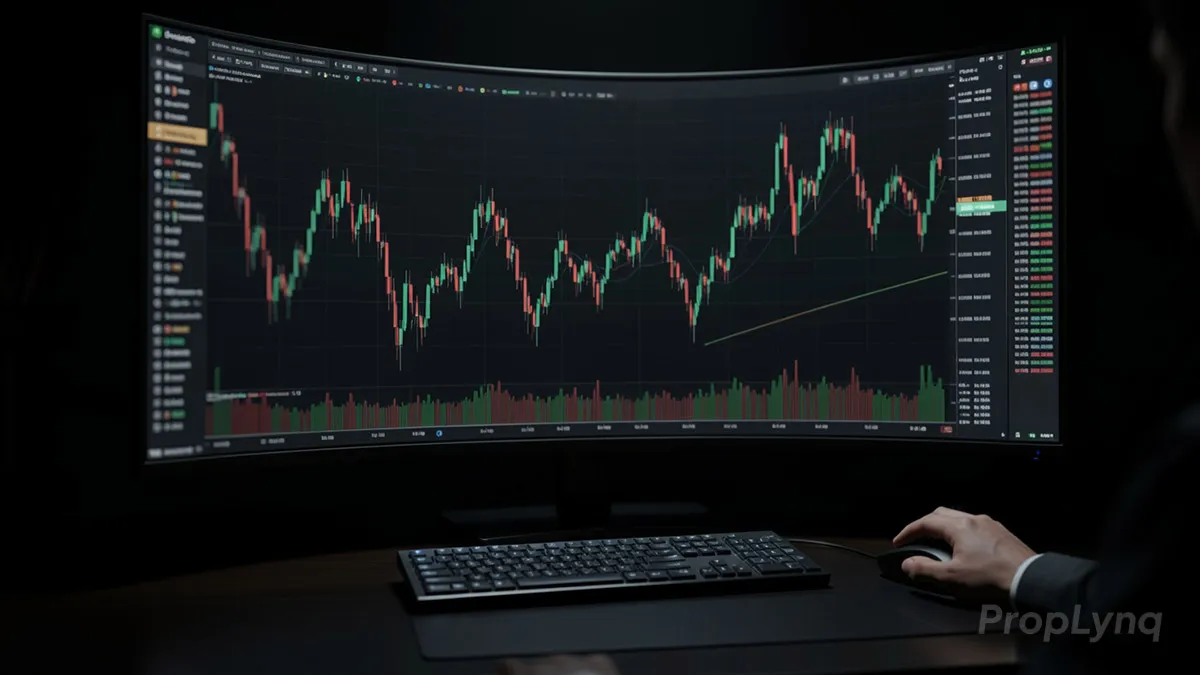
TradingView has become one of the most popular charting platforms for modern traders, and for good reason. It combines clean chart visuals, flexible layouts, powerful indicators, and fast market monitoring tools in one place. For prop traders and market analysts, that matters because decision-making often depends on speed, structure, and consistency. A platform is not just useful because it shows price action, but because it helps traders organize their workflow and react to setups more efficiently. That is one reason a TradingView guide for prop trading is valuable for traders who want a more repeatable process on PropLynq.
What makes TradingView especially valuable is its ability to support both simple and advanced analysis. Beginners can use it to learn chart reading, while experienced traders can build multi-timeframe workflows, create watchlists, set alerts, and test ideas with more precision. For prop traders, this is even more important because they often work within strict risk rules and need a disciplined process. In this TradingView guide for prop trading, you will learn how to use the platform more effectively for chart analysis, daily preparation, and professional trading execution for getting a funded account.
What Is TradingView and Why Do Prop Traders Use It?
TradingView is a web-based charting and market analysis platform used by traders across forex, stocks, crypto, indices, and commodities. Its main advantage is that it brings charting, technical tools, watchlists, and alerts into one clean workspace. Instead of switching between multiple platforms for analysis and monitoring, traders can manage most of their pre-trade routine in a single environment. That is the foundation of any TradingView guide for prop trading.
For prop traders, that convenience is more than a comfort feature. In funded trading, execution quality often depends on preparation, speed, and consistency. A strong charting platform helps traders review market structure, mark key levels, track several instruments, and stay focused on high-probability setups. This is especially useful when trading rules are strict and unnecessary mistakes can affect evaluation performance or account stability. In a TradingView guide for prop trading, that advantage deserves special attention.
Another reason professionals prefer this type of platform is flexibility. Users can customize layouts, save chart templates, follow different timeframes, and build a workflow that matches their strategy. Market analysts also benefit from this setup because it makes technical review more structured and easier to repeat every day. When used correctly, it becomes more than a place to view price charts; it becomes part of a disciplined decision-making process. That is one reason this TradingView guide for prop trading focuses on workflow, not just features.
How to Set Up TradingView for Professional Chart Analysis
A good setup starts with simplicity. Before adding indicators or drawing tools, the first step is to build a clean workspace that supports fast decision-making. Many traders make the mistake of overloading their charts too early. A TradingView guide for prop trading should begin with a simple layout, clear candlesticks, and only the tools that directly support your trading plan.
- A focused watchlist built around the markets you actually trade
- A clean chart appearance that makes price action easier to read
- Saved layouts and templates for analysis, trend review, and execution
Start by choosing the markets you actually follow and grouping them into a focused watchlist. This helps reduce noise and keeps attention on instruments that fit your strategy. After that, adjust the chart appearance so everything is easy to read. Candlestick colors, background contrast, grid visibility, and session settings should all make price action clearer rather than more decorative. A professional chart should help you read structure quickly. This step is a practical part of any TradingView guide for prop trading.
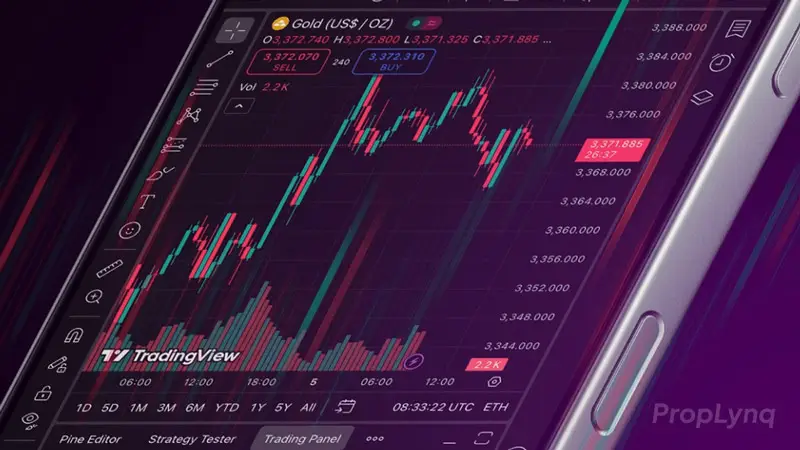
The next step is selecting the timeframes you use most often. Most traders benefit from a top-down routine: one higher timeframe for directional context, one mid-range chart for structure, and one lower timeframe for execution. Once that is in place, save the chart layout so your workflow stays consistent from one session to the next.
It is also useful to create separate templates for different purposes. For example, you might keep one clean chart for pure price action, another for trend analysis, and a third for intraday execution. This kind of organization is especially valuable in prop trading, where discipline and repeatability matter as much as technical skill. A well-structured platform setup can reduce hesitation, improve focus, and support more consistent analysis. In a TradingView guide for prop trading, that kind of organization deserves special attention.
Essential TradingView Tools Every Trader Should Know
A strong charting workflow depends less on complexity and more on using a few tools well. Most traders do not need dozens of custom studies to make good decisions. What matters is knowing which features improve chart reading, help track setups, and support a repeatable routine. That principle sits at the center of any TradingView guide for prop trading.
- Drawing tools for support, resistance, trendlines, and breakout zones
- A small set of indicators such as moving averages, volume, or momentum tools
- Watchlists and alerts to monitor selected instruments without constant chart switching
Drawing tools are among the most useful features for day-to-day analysis. Trendlines, horizontal levels, rays, and rectangles make it easier to mark support and resistance zones, breakout areas, and key reaction points. These tools are especially helpful for traders who rely on market structure and price behavior rather than heavy indicator-based systems. Clean chart markup can make important levels easier to spot before the session begins. For that reason, every TradingView guide for prop trading should explain how to mark levels cleanly.
Indicators also play an important role when they are used with purpose. Moving averages can help define trend direction, volume can add context to breakout strength, and momentum tools may support confirmation in certain strategies. The key is not to use too many at once. When a chart becomes crowded, decision-making usually becomes slower and less reliable.
Another essential feature is the watchlist. A well-organized list helps traders monitor selected markets without constantly searching for symbols. Alerts are just as valuable because they reduce the need to watch every chart continuously. Instead of reacting emotionally to every small movement, traders can wait for the market to reach a planned level or condition. A well-built TradingView guide for prop trading should treat alerts and watchlists as core workflow tools.
Taken together, these tools help turn chart analysis into a structured process. They are most effective when used to support clarity, not add noise.
How to Use TradingView for Multi-Timeframe Analysis
Multi-timeframe analysis helps traders see the market with more structure. Instead of making decisions from a single chart, this approach uses higher and lower timeframes together to build a clearer view of trend, context, and entry quality. A strong TradingView guide for prop trading should show how higher and lower timeframes work together. It is one of the most practical ways to avoid random trades and improve timing.
- Start with a higher timeframe to define market bias and identify major support and resistance.
- Move to a medium timeframe to review recent structure and highlight possible setup zones.
- Use a lower timeframe to fine-tune entries, manage execution, and align the trade with the broader market picture.
A common method is to begin with a higher timeframe to identify the broader direction of the market. This chart can reveal trend bias, major support and resistance areas, and the overall structure behind current price movement. Once that context is clear, the trader can move to a medium timeframe to study recent swings and possible setup zones. After that, a lower timeframe can be used to refine entries and manage execution more precisely.
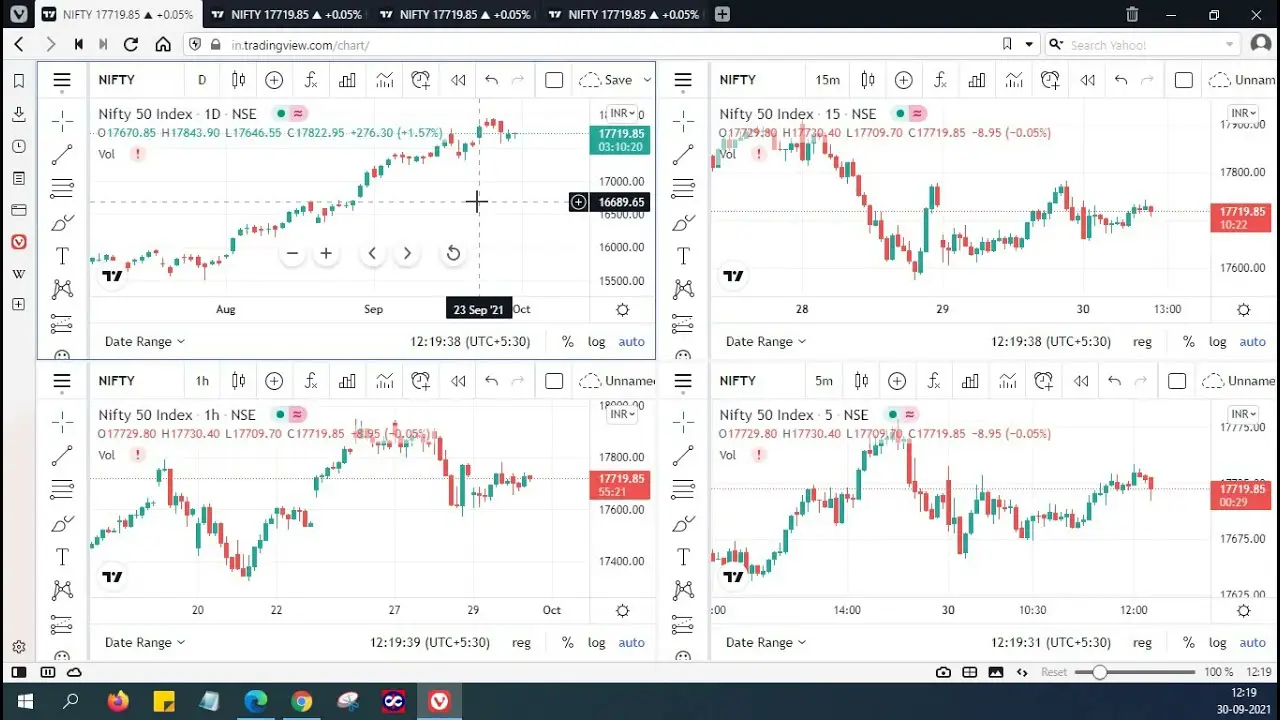
This process is especially useful for prop traders because it supports discipline. Rather than chasing movement on a fast chart, they can align their trades with a larger market picture. That reduces impulsive decisions and helps them focus on setups that make sense across multiple levels of analysis. That is why multi-timeframe alignment is a key theme in this TradingView guide for prop trading.
The platform makes this process easier by allowing traders to save layouts, switch between intervals quickly, and keep key levels visible across charts. When used consistently, multi-timeframe review creates a more organized workflow and improves confidence in execution.
Using Alerts, Watchlists, and Layouts to Trade More Efficiently
Efficiency in trading does not come from watching charts all day. It comes from having a structured system that helps you follow the market without losing focus. Alerts, watchlists, and saved layouts are simple features, but together they can make daily analysis far more organized and reduce unnecessary screen time. A practical TradingView guide for prop trading should always connect these features to efficiency, not screen time.
Alerts are especially useful because they allow traders to respond to planned conditions instead of reacting to every move. A price alert can notify you when the market reaches a key level, while an indicator-based alert can help track specific technical conditions. This creates a more disciplined workflow and makes it easier to wait for setups that match your plan.
Watchlists support that process by keeping selected instruments in one place. Instead of jumping randomly between markets, traders can focus on the assets they actively monitor and rank them by relevance. This is helpful for both pre-market preparation and intraday review, especially when several instruments are moving at the same time.
Saved layouts add another layer of consistency. A trader might use one layout for higher-timeframe analysis, another for execution, and another for broader market scanning. That kind of organization reduces friction and makes the trading process easier to repeat each day. For prop traders, this matters because a stable workflow often leads to better execution and fewer avoidable mistakes. This is another reason a TradingView guide for prop trading should emphasize routine.
Best TradingView Practices for Prop Traders
For prop traders, a charting platform is most effective when it supports discipline rather than distraction. The best practice is to keep the workspace simple and aligned with a clearly defined process. A clean chart makes it easier to focus on market structure, important levels, and valid setups without being influenced by unnecessary visual noise. That is a central idea in any TradingView guide for prop trading.
One of the most useful habits is to standardize your layout. Using the same chart templates, timeframes, and marking style every day creates consistency in analysis. That consistency matters in prop trading because performance is often shaped by repeatable execution, not occasional strong ideas. When your charts always follow the same structure, it becomes easier to compare setups and avoid impulsive decisions.
Another strong practice is to prepare before the session begins. Mark major support and resistance areas, identify directional bias, and create a shortlist of instruments worth watching. This reduces emotional decision-making during active market hours. Instead of searching for trades in real time, you are reacting to a plan that was built in advance. In a TradingView guide for prop trading, this kind of preparation matters as much as chart skill.
It is also important to avoid overloading the chart with too many indicators. A few useful tools can add context, but too many signals often create hesitation or conflict. The goal is clarity, not complexity. Many profitable traders rely on a small set of visual references and strong execution discipline.
Finally, use alerts and saved layouts to support patience. A professional workflow should help you wait for quality opportunities rather than chase movement. For prop traders in particular, that kind of structure can improve consistency, reduce mistakes, and support better risk control.
Common Mistakes Traders Make on TradingView
One of the most common mistakes traders make is turning a chart into a crowded workspace. Too many indicators, colors, labels, and drawings can make analysis harder instead of easier. When everything looks important, it becomes difficult to identify what actually matters. Clear decision-making usually comes from a clean chart, not a complicated one. A good TradingView guide for prop trading should warn against this mistake early.
Another frequent problem is using tools without a defined method. Some traders add indicators because they seem useful, but they do not fully understand how those tools fit into their strategy. This often leads to conflicting signals and hesitation at important moments. Technical tools work best when they support a structured process rather than replace it.
Many traders also ignore consistency in layout and routine. They switch timeframes randomly, change chart settings too often, or analyze different markets without a clear reason. That makes it harder to compare setups and build confidence in a repeatable workflow. A stable routine usually produces better results than constant adjustments.
A final mistake is depending too much on the platform itself instead of the trading plan behind it. Even the best charting software cannot fix poor discipline, weak risk management, or emotional execution. The platform should support decision-making, but the real edge still comes from process, patience, and control.
Conclusion
TradingView is more than a charting tool. This TradingView guide for prop trading treats it as part of a complete trading workflow that supports market analysis, planning, and execution. For prop traders and market analysts, that structure is especially valuable because consistent performance often depends on preparation, clarity, and disciplined decision-making.
The real advantage of the platform is not just the number of features it offers, but how those features can be organized into a practical routine. Clean layouts, focused watchlists, useful alerts, and multi-timeframe review can all help traders work more efficiently and avoid unnecessary mistakes. Instead of reacting to every move, they can approach the market with a clearer plan and more control. That broader perspective is what gives a TradingView guide for prop trading real value.
In the end, success does not come from using more tools. It comes from using the right tools with a repeatable process. A well-structured charting workflow can improve focus, support patience, and help traders make better decisions over time.
Leave a Reply